Why Your Business Needs Tally on Cloud in 2026
13-09-2026
| By Generous Technology
| cloud
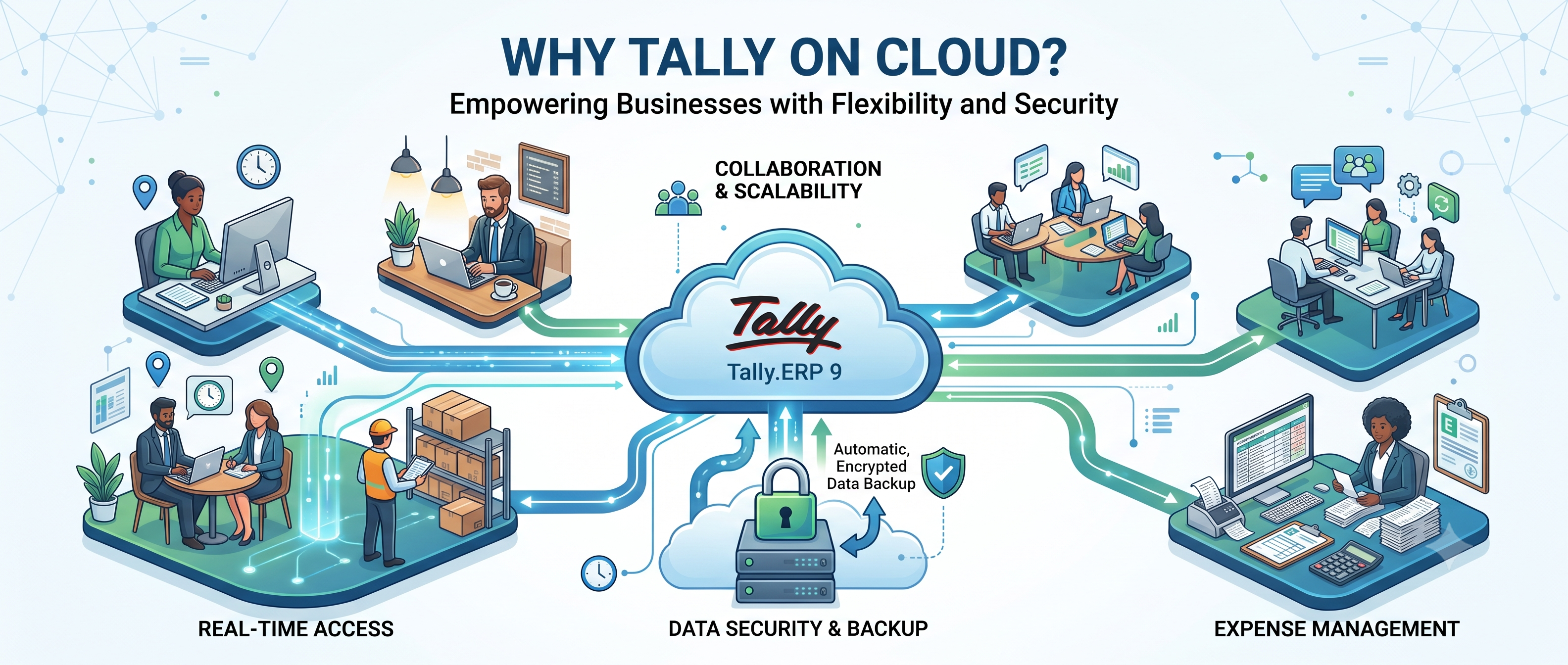
Most businesses discover the limits of a desktop Tally installation the same way. The accountant is on leave and nobody else can open the data. The owner is travelling and wants yesterday's outstanding report, so someone sends a screenshot on WhatsApp. A second branch opens and suddenly two Tally files exist that nobody can reconcile.
None of these are Tally problems. They are problems of where Tally is installed.
Tally on Cloud solves exactly that. This post explains what it is, what it is not, and how to decide whether your business actually needs it.
What Tally on Cloud actually is
Tally on Cloud is not a separate product, a different edition, or a web version of Tally. It is your existing TallyPrime licence and your existing company data, installed on a secure remote server instead of a computer in your office.
You and your team connect to that server from any laptop, desktop or mobile device. The screen you see is the same TallyPrime you already know — same shortcuts, same reports, same customisations. What changes is that the software and the data now live in a data centre rather than under someone's desk.
Your licence stays yours. Your TDL customisations continue to work. Your data format does not change.
Tally on Cloud is not the same as cloud backup
This is the most common confusion, and it has grown since TallyPrime 7.0 introduced automatic backup to TallyDrive.
Cloud backup sends a copy of your data to the cloud for safekeeping. It protects you if your computer fails. It does not let two people in two cities work in the same company file at the same time.
Tally on Cloud puts the working system itself in the cloud. Your team does not access a copy — they access the live data, concurrently, from wherever they are.
Both are useful. They solve different problems. If your requirement is remote access or multi-location working, backup features will not deliver it.
Five reasons businesses move to the cloud
1. Your team is no longer in one room
Accountants working from home, a CA who needs read access during audit, a branch in another city, a proprietor who travels. Desktop Tally assumes everyone sits within one local network. That assumption stopped being true for most businesses several years ago.
2. Data loss stops being a possibility
A failed hard disk, a stolen laptop, a power surge, ransomware on an office machine — each of these has ended businesses' accounting records permanently. Cloud servers run automated daily backups with retention, on hardware with redundancy that no office desktop has.
3. Multi-user access without buying a server
Running multi-user Tally in-house traditionally meant a dedicated machine, a static IP, network configuration and someone to maintain all of it. On the cloud, adding a fifth user is a configuration change, not a hardware purchase.
4. Branches finally share one set of books
Each location entering data into the same company file means consolidated stock, consolidated receivables and consolidated reporting — in real time, without month-end data merging.
5. Access control you can actually enforce
User-level permissions, session monitoring, and the ability to revoke access instantly when an employee leaves. On a shared office computer, "access control" usually means one password everyone knows.
Who does not need it
Being honest about this matters more than making the sale.
If you are a single user, working from one desk, with no branches, no remote accountant and no travel requirement, desktop Tally with a disciplined backup routine is sufficient. Cloud hosting adds a monthly cost you do not need to carry.
The case for moving becomes clear the moment a second person in a second location needs the same data.
What it costs, realistically
Tally on Cloud is billed per user per month. The total depends on user count, storage requirement and whether you need a shared or dedicated server.
The comparison worth making is not against zero. Compare it against what you currently spend on a server machine, its electricity, its eventual replacement, the IT visits when the network stops working, and the working days lost when data goes missing. For most businesses with three or more users, the cloud is the cheaper option once those costs are counted honestly.
What to check before you choose a provider
Server location. Data stored in India keeps you simpler on compliance.
Backup policy. Ask how often, retained how long, and how quickly a restore can be performed.
Support scope. Is Tally itself supported, or only the server? These are often different vendors.
Customisation handling. If you run TDL modules, confirm they will be deployed and maintained on the cloud instance.
Exit terms. You should be able to take your data and leave without friction.
Moving is simpler than most people expect
A standard migration involves taking a backup of your current data, provisioning the server, installing TallyPrime and your licence, restoring the data, deploying any TDL customisations, and creating user logins. Most single-company migrations are completed within a working day, and staff need almost no retraining — the interface is unchanged.
Frequently asked questions
Will my Tally licence work on the cloud?
Yes. Your existing TallyPrime licence is used on the cloud server. You are not required to buy a different product.
Will my customisations still work?
Yes. TDL modules are deployed on the cloud instance exactly as they were on your desktop.
What happens if my internet goes down?
You lose access until connectivity returns, the same as any online service. Your data is unaffected. For businesses where this is a serious risk, a mobile hotspot as backup is usually sufficient.
Is my data safe on a shared server?
Each client runs in an isolated environment with separate credentials. Dedicated servers are available where policy or scale requires them.
Can I move back to desktop later?
Yes. Your data remains in standard Tally format and can be restored to a local installation at any time.
Not sure whether cloud is right for your setup?
Generous Technology has been implementing and supporting Tally for Indian businesses since 2011. We will look at your current setup, your user count and how your team actually works — and tell you plainly whether cloud makes sense for you.